Barcode image API
One URL, one barcode image — no key, no SDK, no sign-up. Point an <img> tag, a Markdown link, or a spreadsheet formula at it and it just works.
Live — this image is actually generated by the endpoint below, right now.
https://www.barcodesheets.com/api/barcode?data=SKU-12345&type=code128Parameters
| Parameter | Default | Limits | Description |
|---|---|---|---|
| data | required | 1–256 characters | The value to encode. Check digits (EAN-13, UPC-A, ITF-14, ISBN, ...) are completed automatically — same rule as the on-site generator. URL-encode special characters (a literal + decodes as a space, per the standard query-string convention every URL/=IMAGE() consumer already expects). |
| type | code128 | a supported symbology id (see the table below) | Which barcode symbology to render. |
| scale | 3 | 1–8 | Module-width multiplier. Higher values produce a larger, higher-resolution image — turn it up for print, down for a small inline embed. |
| fmt | png | png or svg | Image format returned. SVG scales to any size with no quality loss; PNG is the safer default for spreadsheets and CMSes that don't render SVG. |
| addon | none | exactly 5 digits — isbn only | EAN-5 price add-on, only applied when type=isbn (mirrors the Studio's ISBN price add-on field). Ignored for every other type. |
| text | symbology default | 0 or 1 | Whether to render the human-readable characters under the bars. text=0 forces bars only; text=1 forces them on; omitting it uses the symbology's own default (on for most types, off for Data Matrix/QR). Any other value 400s. |
Copy-paste snippets
<img src="https://www.barcodesheets.com/api/barcode?data=SKU-12345&type=code128" alt="Barcode for SKU-12345" width="300" height="100" />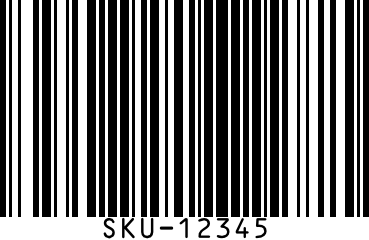=IMAGE("https://www.barcodesheets.com/api/barcode?data=SKU-12345&type=code128")What this endpoint does
GET /api/barcode takes the same data/type/scale parameters the on-site generator uses and returns a real, rendered barcode image — PNG by default, or SVG with fmt=svg — instead of a web page. Point any <img> tag, Markdown image link, or spreadsheet =IMAGE() formula at the URL and the barcode appears wherever that URL is embedded, no download-then-upload step in between. Check digits are completed automatically for GTIN-family types exactly like the generator — a 12-digit data= under type=ean13 becomes a real, scannable 13-digit EAN-13 in the returned image.
Fair use — generous limits, no key required
There's no account, API key, or authentication of any kind — every parameter you need is right there in the URL. Limits are intentionally generous rather than metered: up to 256 characters of data=, a scale= range of 1-8. Every successful response carries a Cache-Control: public, max-age=31536000, s-maxage=31536000, immutable header, so the exact same URL is cached for a year by browsers and CDNs alike — a spreadsheet with a thousand rows pointed at this endpoint only ever renders each unique barcode once. Genuine abuse is a hosting-platform concern, not something this route enforces itself. CORS is wide open too (Access-Control-Allow-Origin: * on every response, success or error), so fetch()-ing the URL from another site's JavaScript — to draw it on a <canvas> or inline it as a data URL, not just a plain <img> — works from any origin too.
Supported barcode types
| type= | Barcode | Category |
|---|---|---|
| code128 | Code 128 | General |
| code39 | Code 39 | General |
| ean13 | EAN-13 | Retail |
| ean8 | EAN-8 | Retail |
| upca | UPC-A | Retail |
| upce | UPC-E | Retail |
| itf14 | ITF-14 | Logistics |
| gs1-128 | GS1-128 | Logistics |
| datamatrix | Data Matrix | 2D |
| qrcode | QR Code | 2D |
| isbn | ISBN | Retail |
Frequently asked questions
Is the barcode API free?
GET /api/barcode is free and unlimited — no API key, no account, no per-request cap. It's a public image endpoint, so it's meant to be hotlinked from a spreadsheet, a CMS, or a README exactly like any other image URL.Can I use it in Google Sheets?
=IMAGE("https://www.barcodesheets.com/api/barcode?data=YOUR-VALUE&type=code128") in a cell (or reference another cell's value for data=) and the barcode renders right there, updating automatically if the value changes. Excel 365 (cloud-connected) supports the same =IMAGE() formula.Is there a rate limit?
Which barcode types does the API support?
type= id shown on the barcode type list below and on each symbology's own page (e.g. /isbn for the isbn id).